Saved AI Conversations
Keep a permanent, searchable record of any AI exchange — from the Bible Assistant chapter chatbot or the Search page’s Ask AI tab. Private — stored only in your account.
Free account required. Stays in your general list whether or not you also attach it to a study.
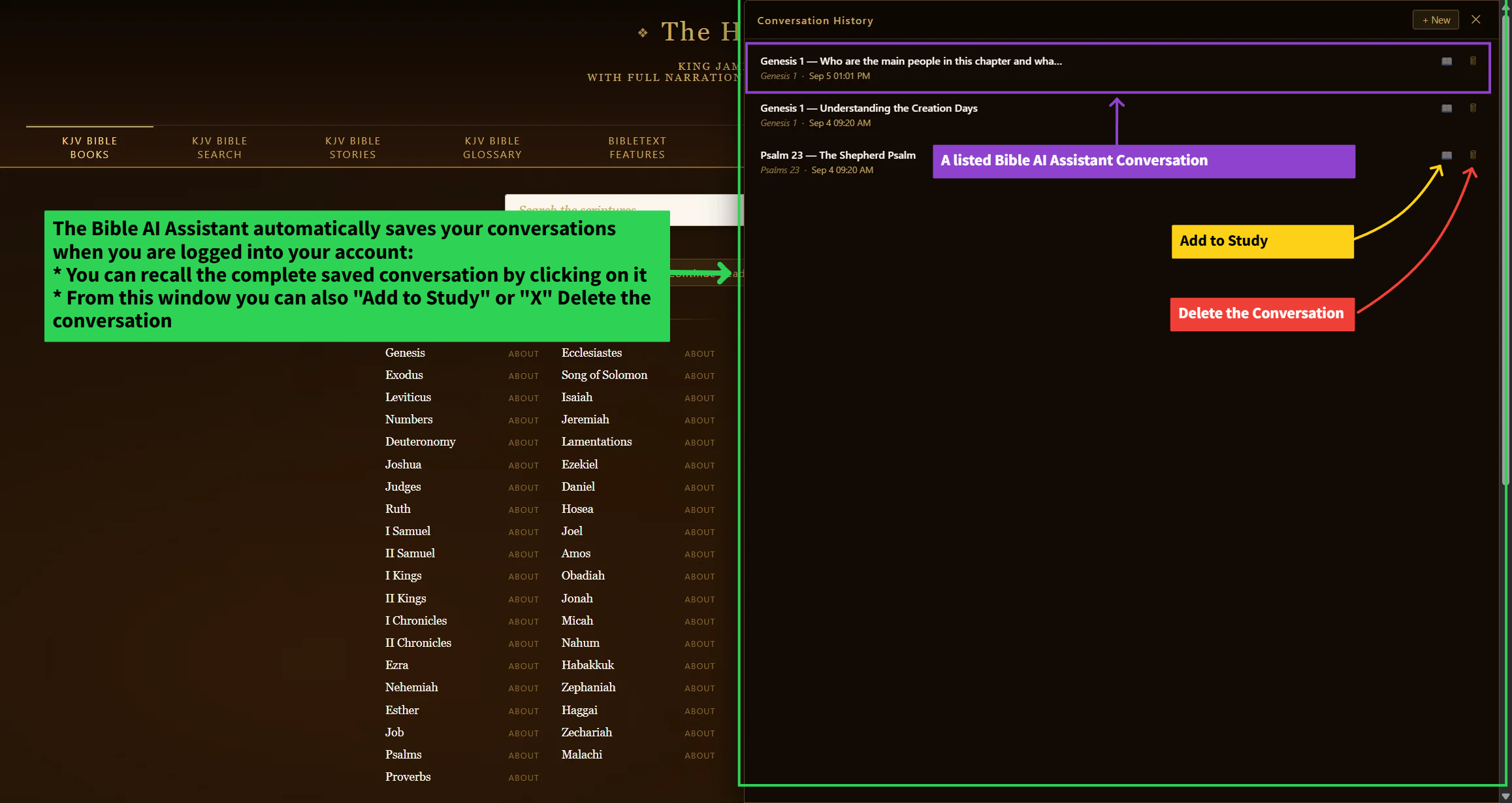
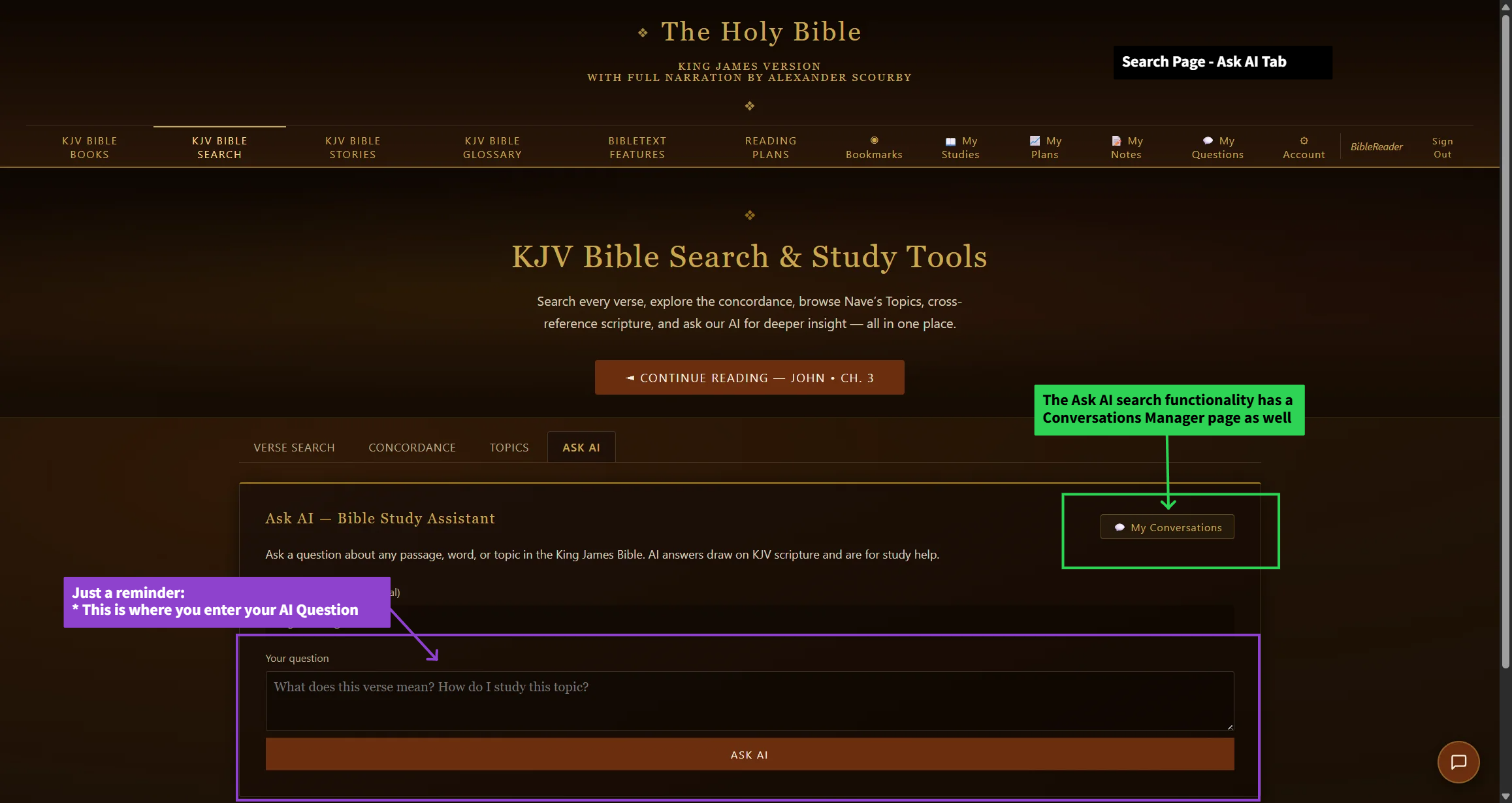
- While logged in, every exchange is saved automatically — no button to click. Find them under 💬 Conversation History in the Bible Assistant chapter chatbot, or 💬 My Conversations on the Search page’s Ask AI tab.
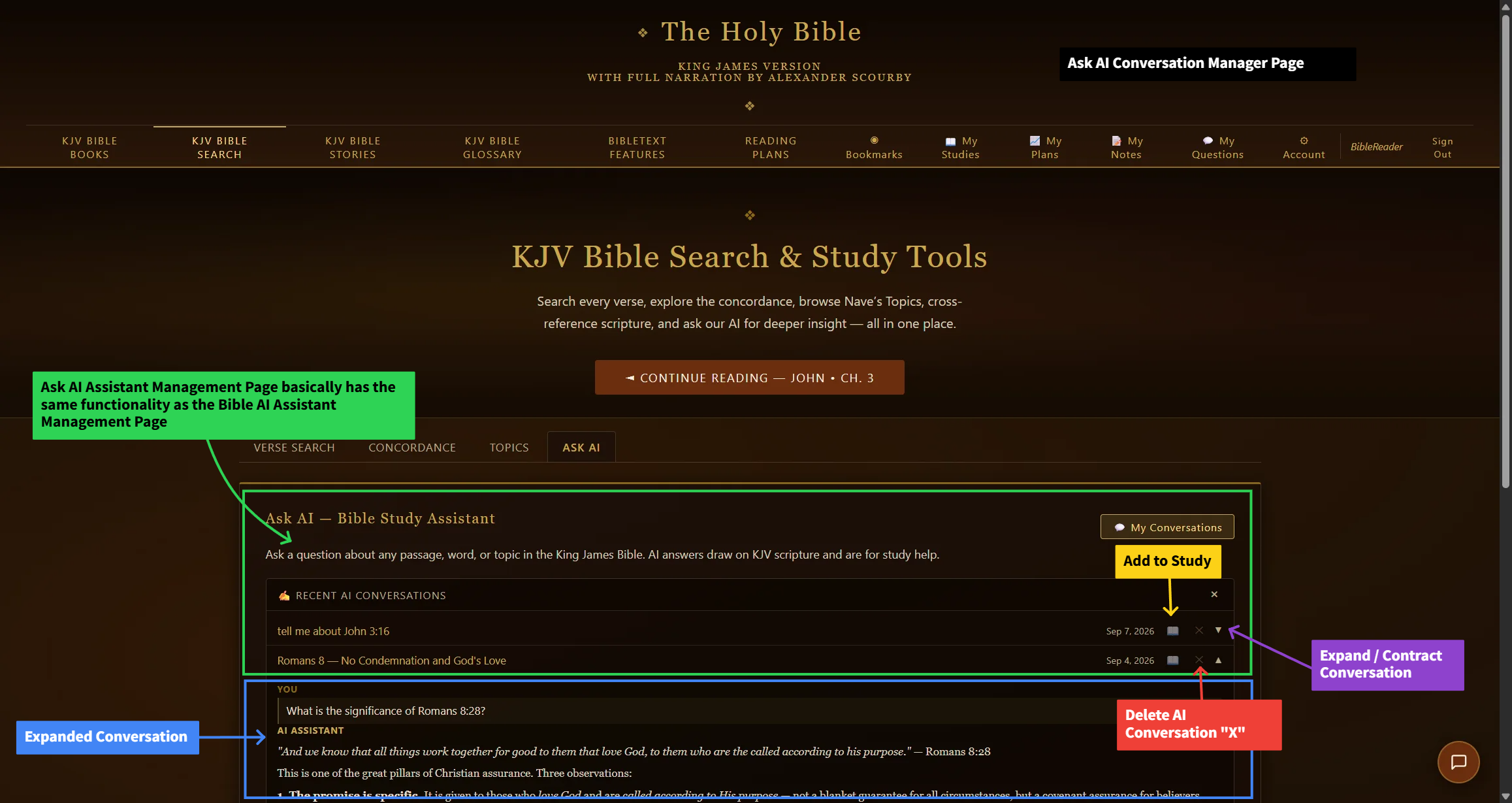
- Click 💬 My Conversations any time to open the panel of everything you’ve saved from that tool.
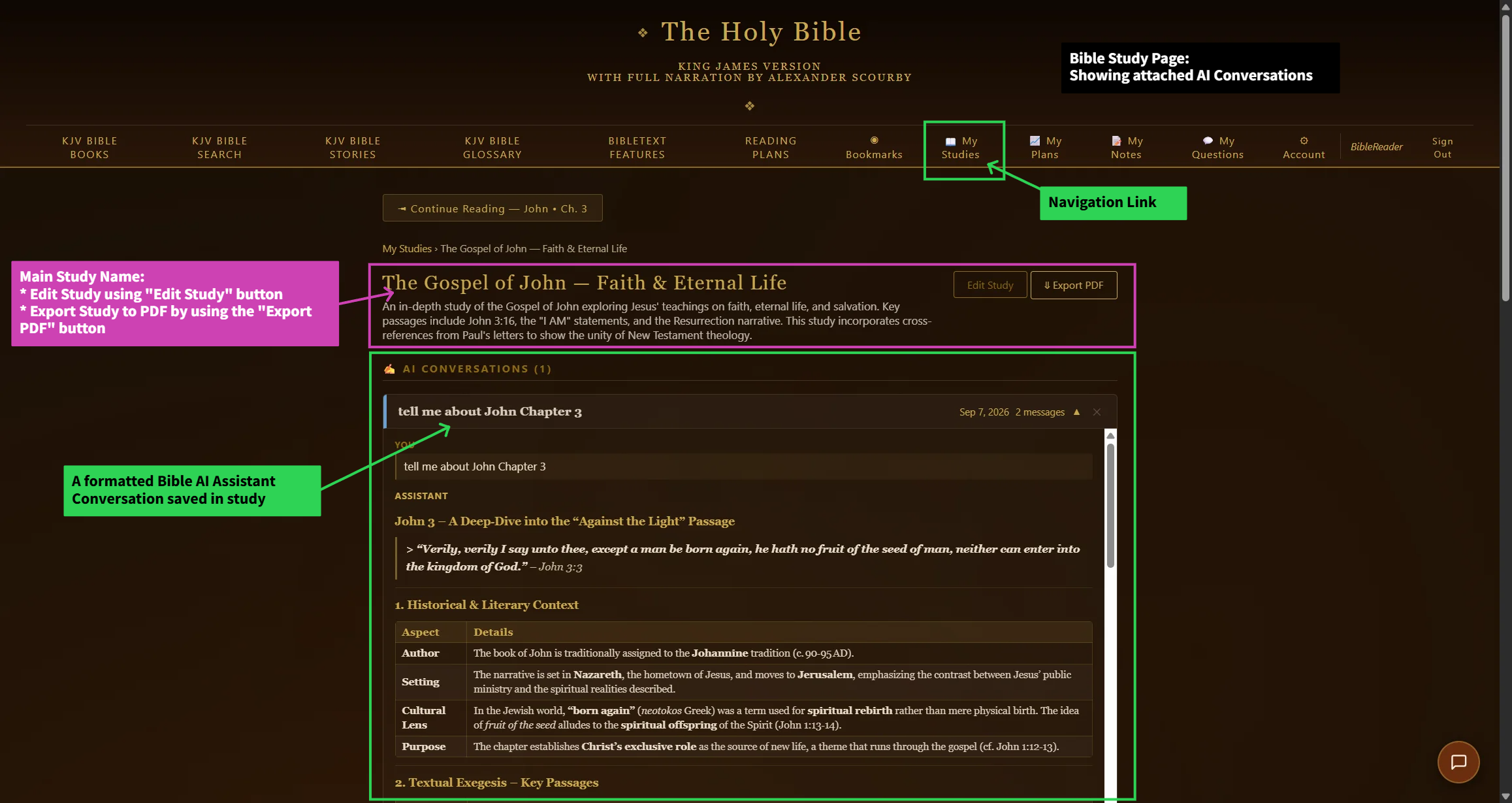
- Optionally attach a conversation to a study — it still appears in your general saved list either way.
Whether it’s the chatbot or Ask AI, your saved conversations let you pull up a past exchange for recall any time, or add it to a Study with a click.
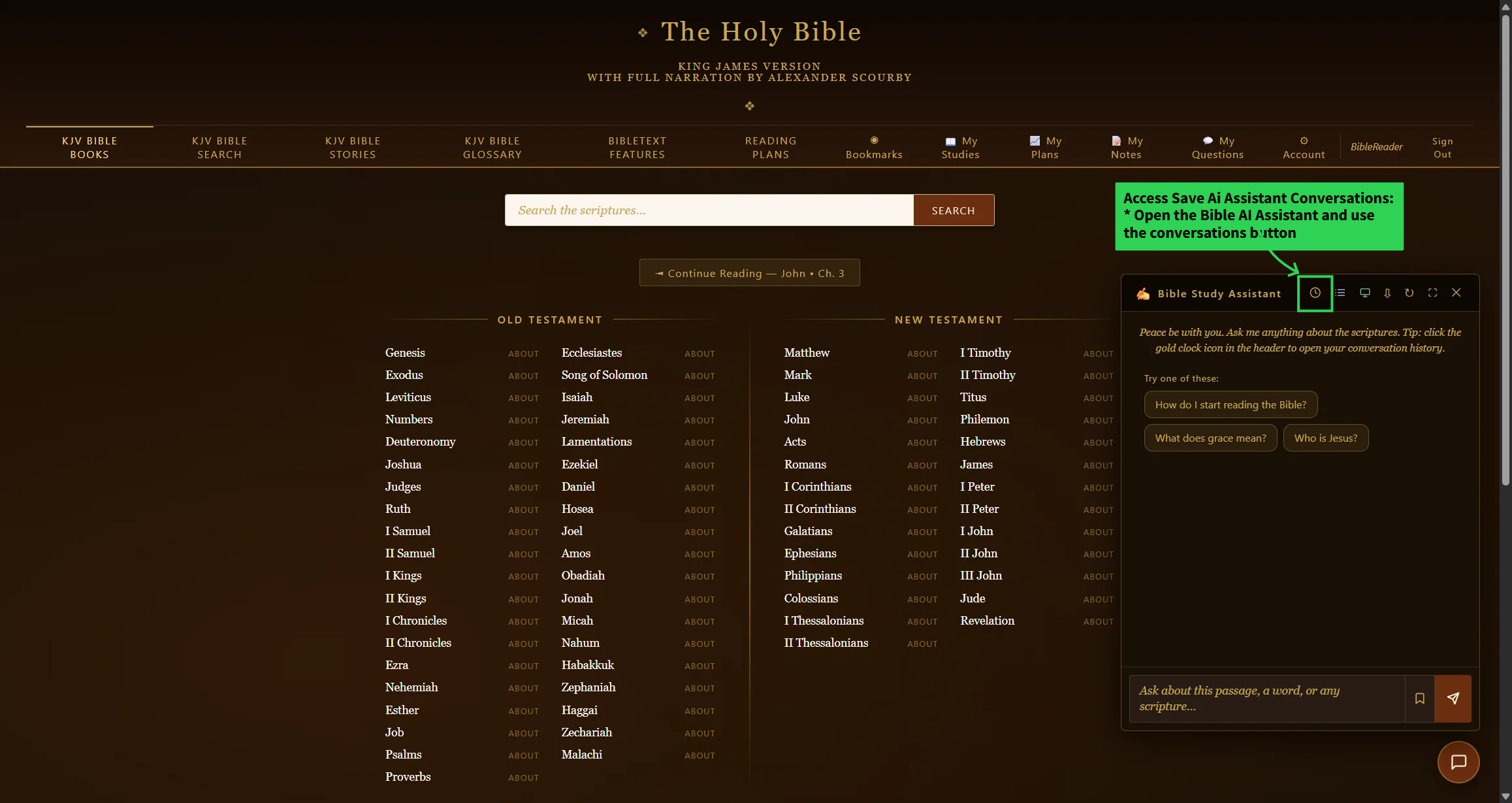
Step 1 — the Bible Assistant chapter chatbot, where every exchange is saved automatically.
If a conversation is already tied to a study, the My Conversations list shows which study it belongs to right on the entry.