Exporting to PDF & PowerPoint
Turn a finished Bible Study into a polished, branded PDF document, or generate a PowerPoint slide deck straight from the chatbot.
Free account required. Only relevant once a study has content in it.
PDF export
- Open any study on My Studies and click Export to PDF.
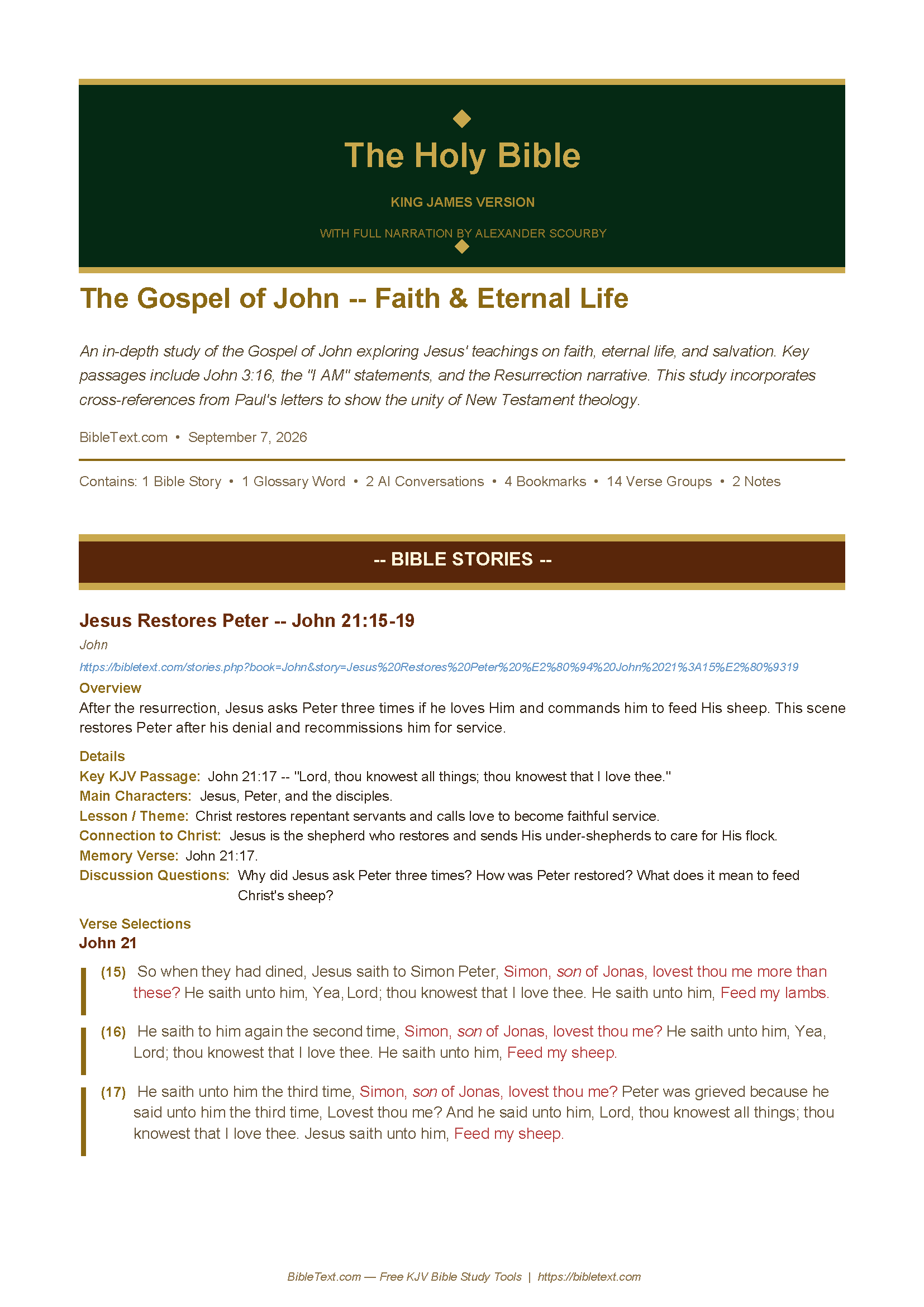
- The PDF opens with the site’s own banner at the top — study name, description, and the same “The Holy Bible — King James Version” header used across the site.
- Every verse selection appears indented exactly like it does on-screen, with cross-references nested under the verse that referenced them.
- Every book, verse, story, and glossary reference in the PDF is a clickable link back to BibleText.com, and any personal or scripture notes are printed above or below their entry.
PowerPoint export
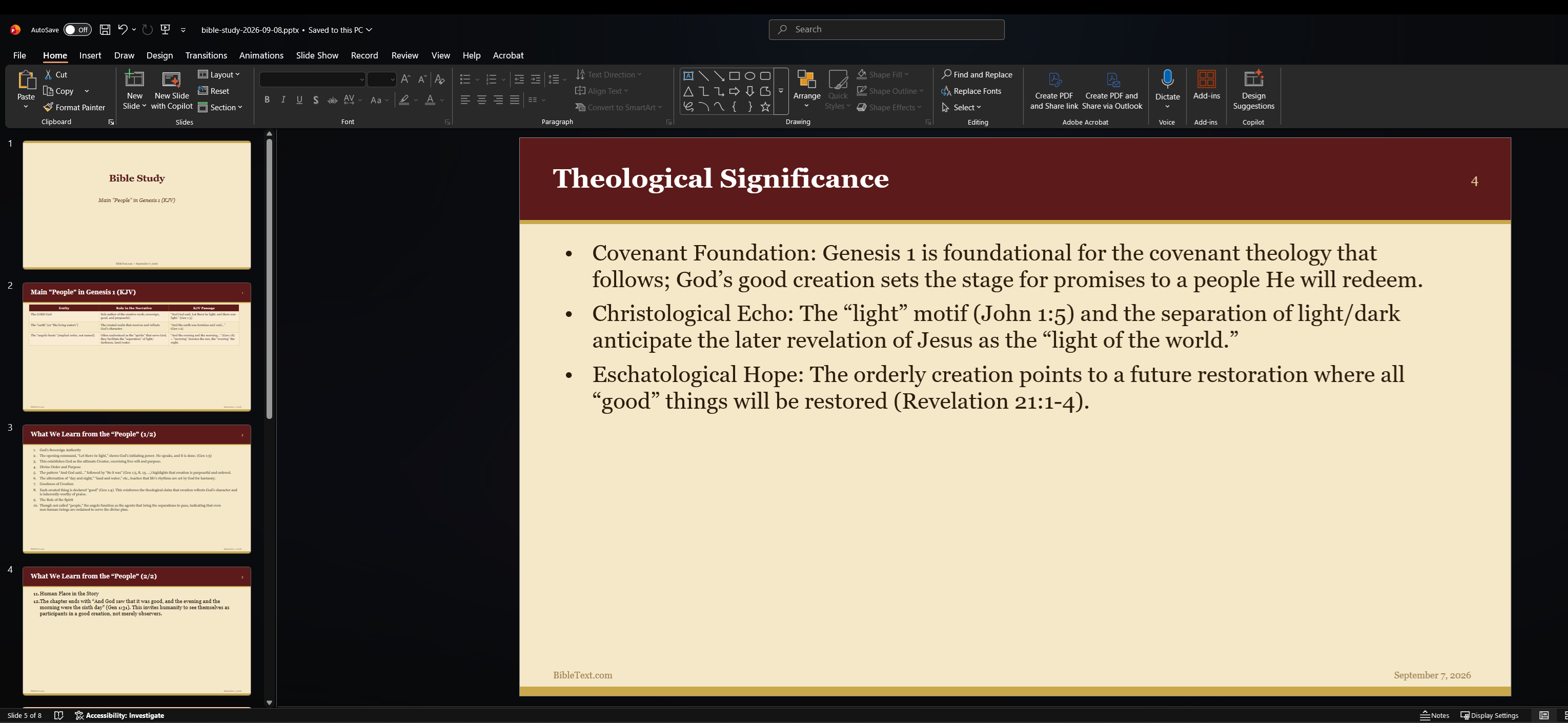
- Ask the AI chatbot to summarize a topic or chapter, then look for the Generate Slides option on its response.
- A PowerPoint (.pptx) file downloads, ready to present or share.
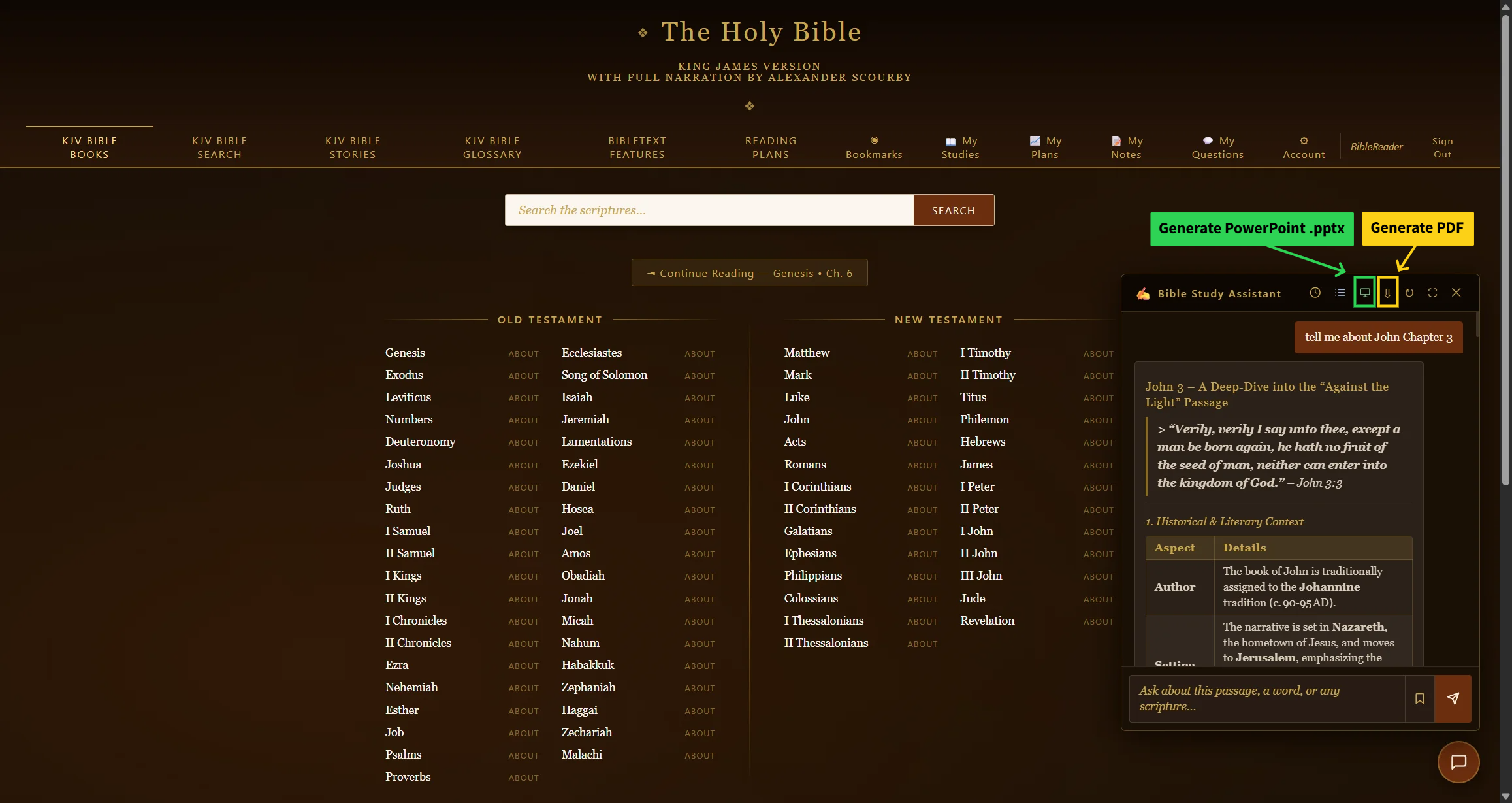
Step 1 — ask the chatbot to summarize a topic or chapter, then click Generate Slides on its response — the PowerPoint (.pptx) file downloads automatically.
Sharing the PDF is also a great way to introduce someone to BibleText.com — every linked verse, story, and glossary word takes them straight back to the site.