My Questions
Build your own personal library of go-to questions — ones you like to ask about any chapter — and inject them into the chatbot instantly.
Free account required. Purely standalone — a personal prompt library, not tied to any study.
- Open the chatbot by clicking the chat icon in the lower-right of the screen.
- Click the My Saved Questions button in the chatbot header icons.
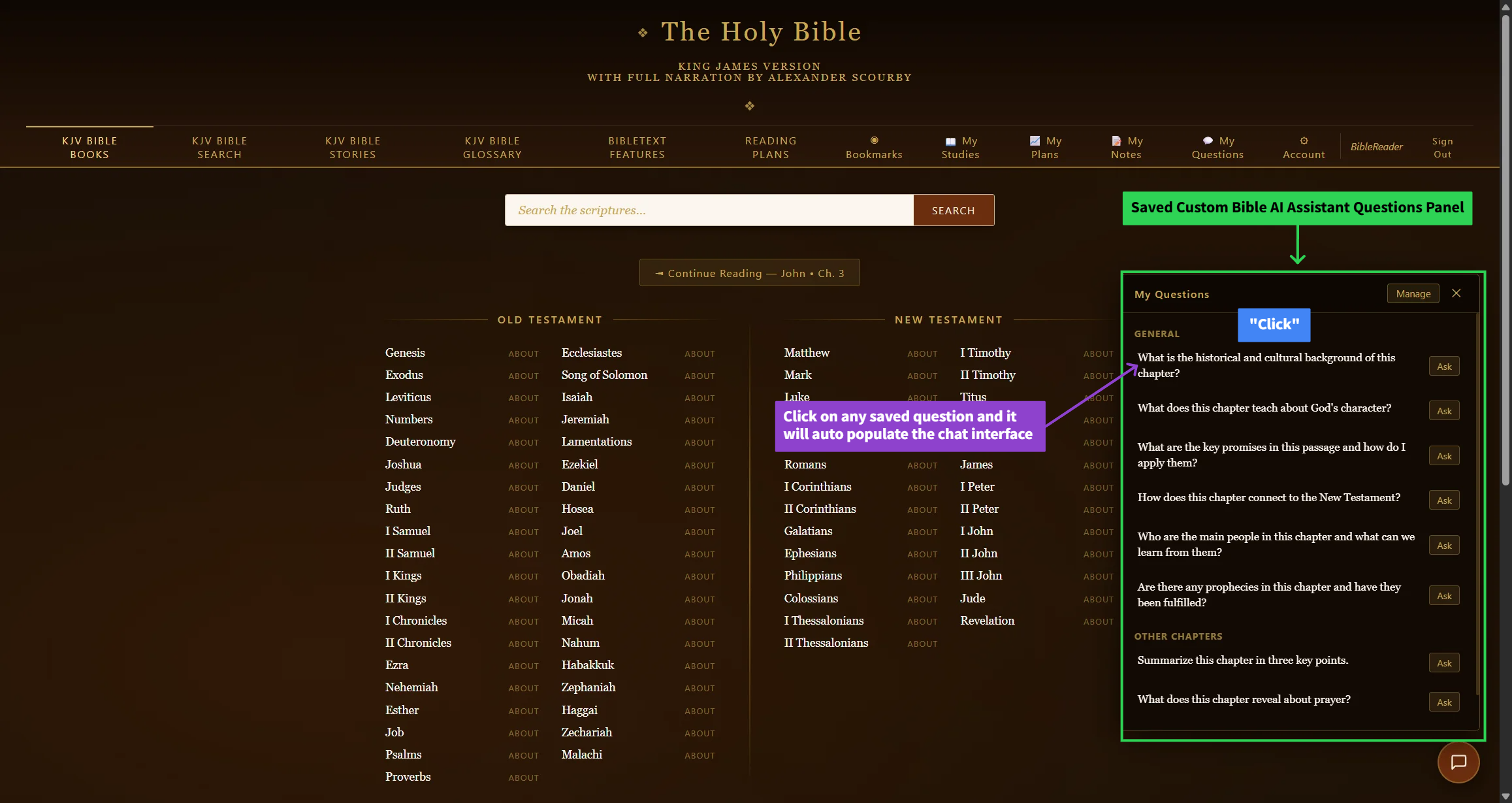
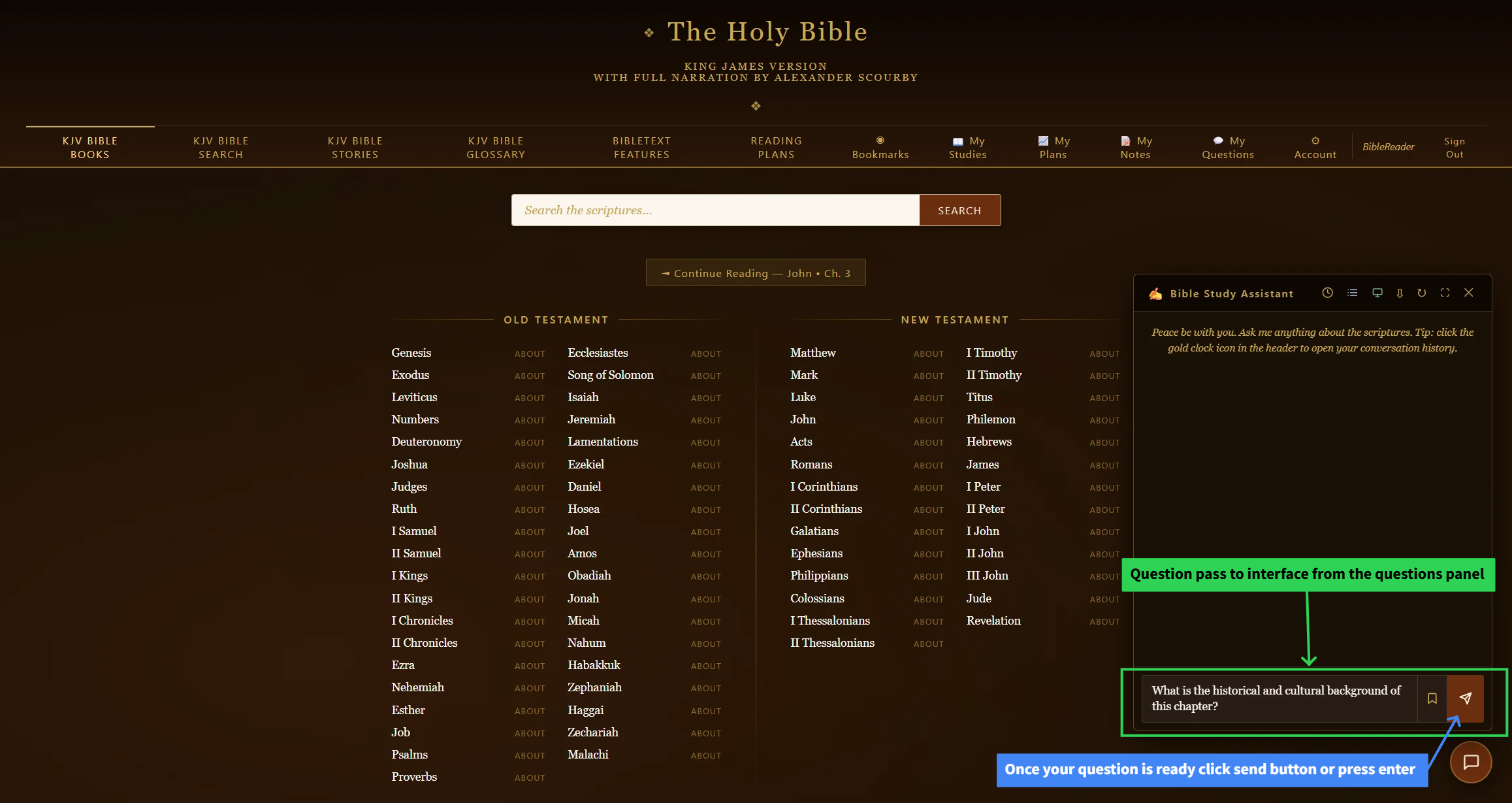
- Select any question already saved — clicking it fills it into the chat box automatically.
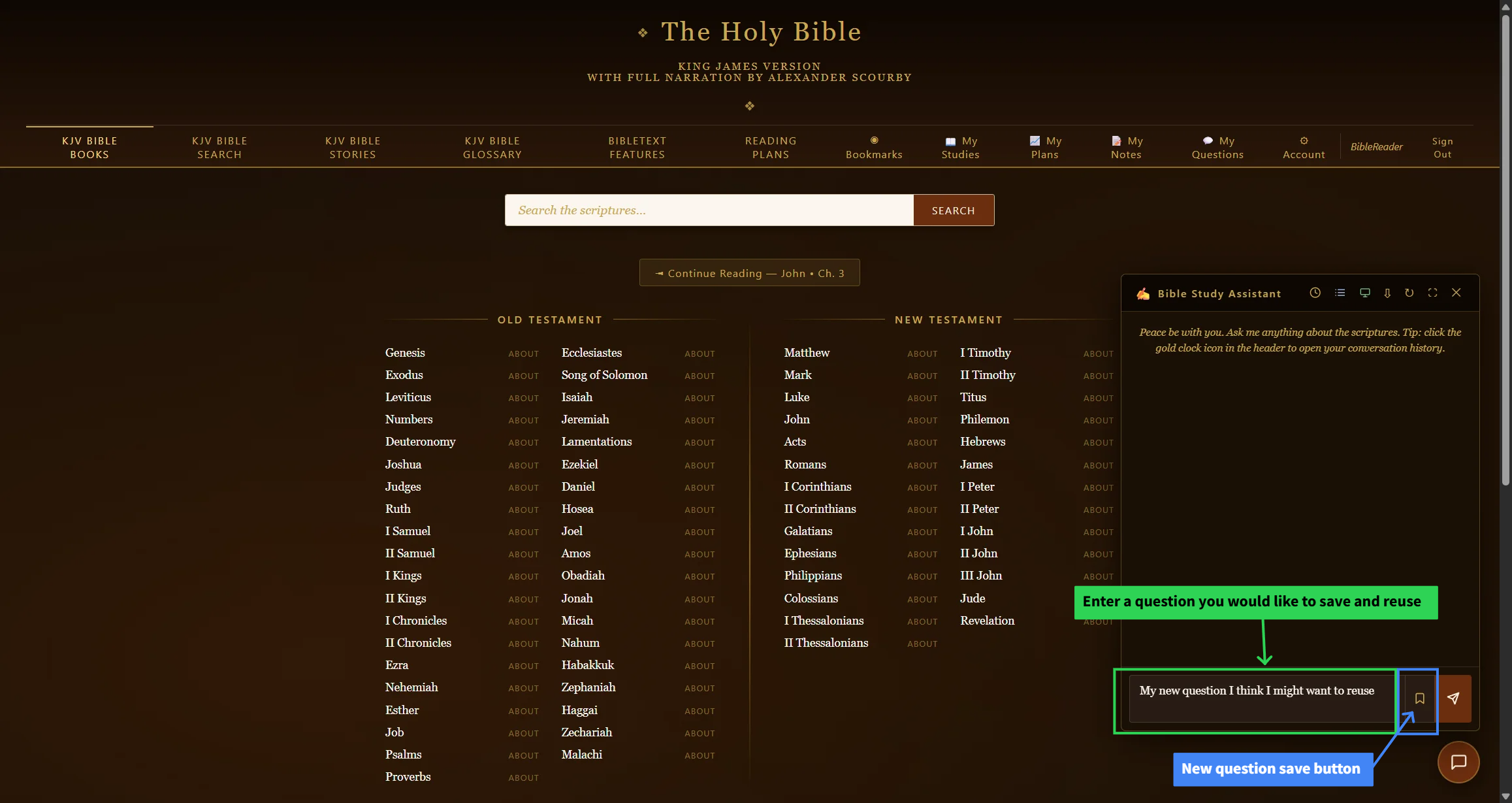
- Save a new question by typing it into the chatbot, then click the save ribbon next to the question submit button.
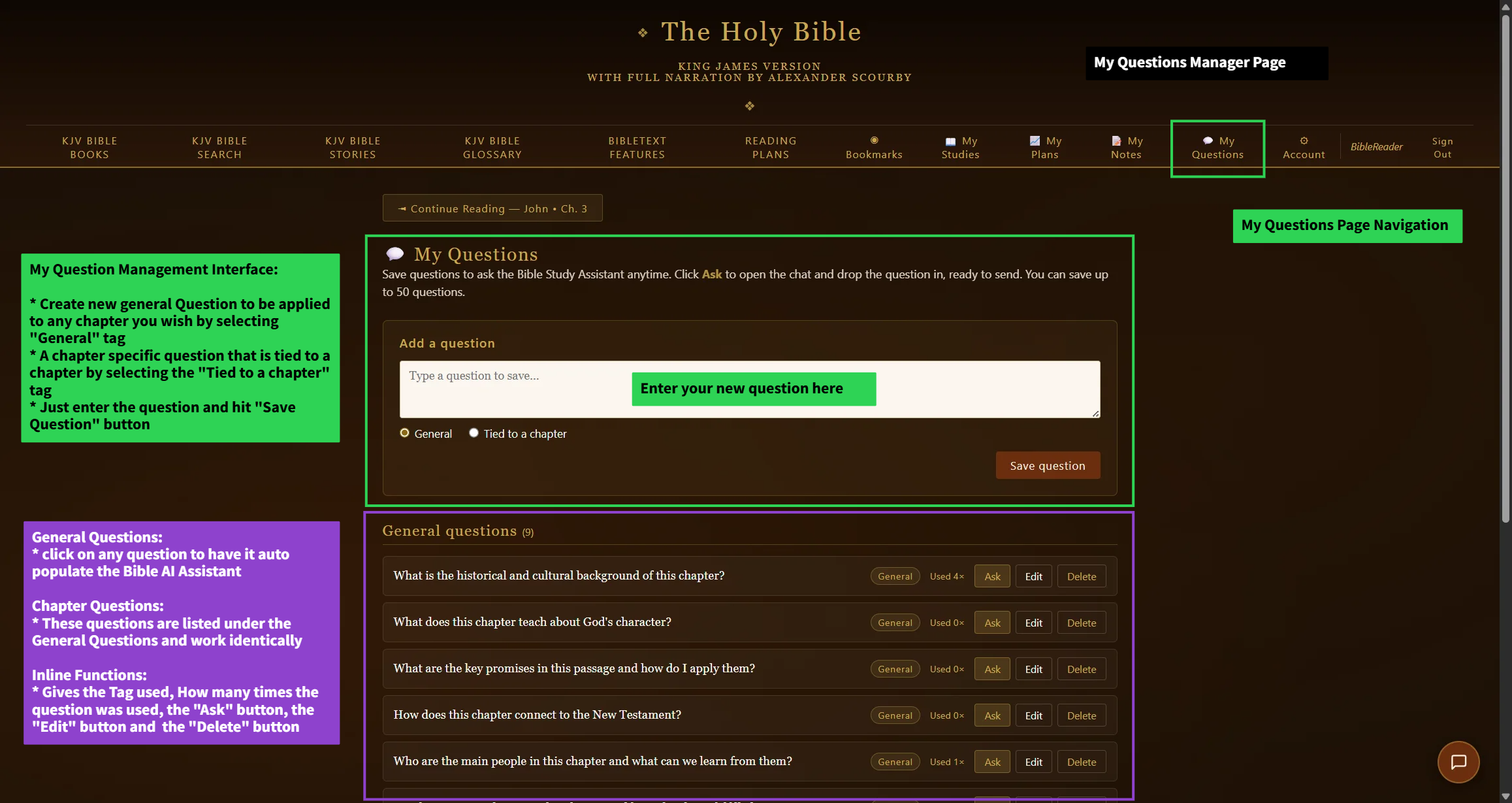
- Manage and edit all saved questions using the Manage button at the top of the My Saved Questions panel, or go directly to the My Questions page.
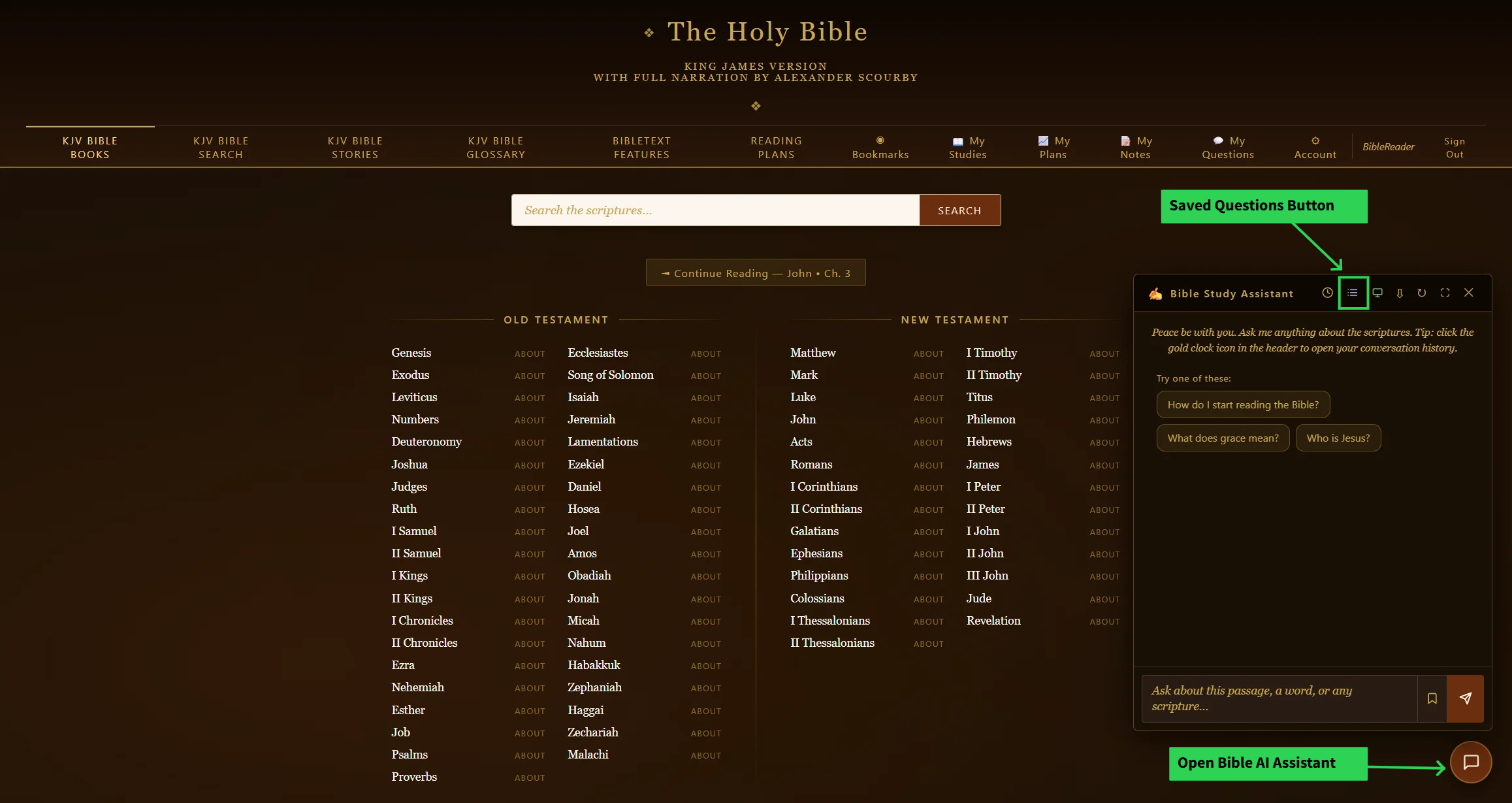
Step 1 — click the chat icon in the lower-right of the screen to open the chatbot.
This is different from the three suggested starter questions shown to everyone — My Questions is entirely your own personal list.