Chapter Notes
Write in the margins — a free-form running note for any chapter, the way people have annotated their Bibles for centuries.
Free account required. Useful on its own, or link it to a study — either way it stays in your general notes list.
- While reading a chapter, click Chapter Notes to open the floating note editor.
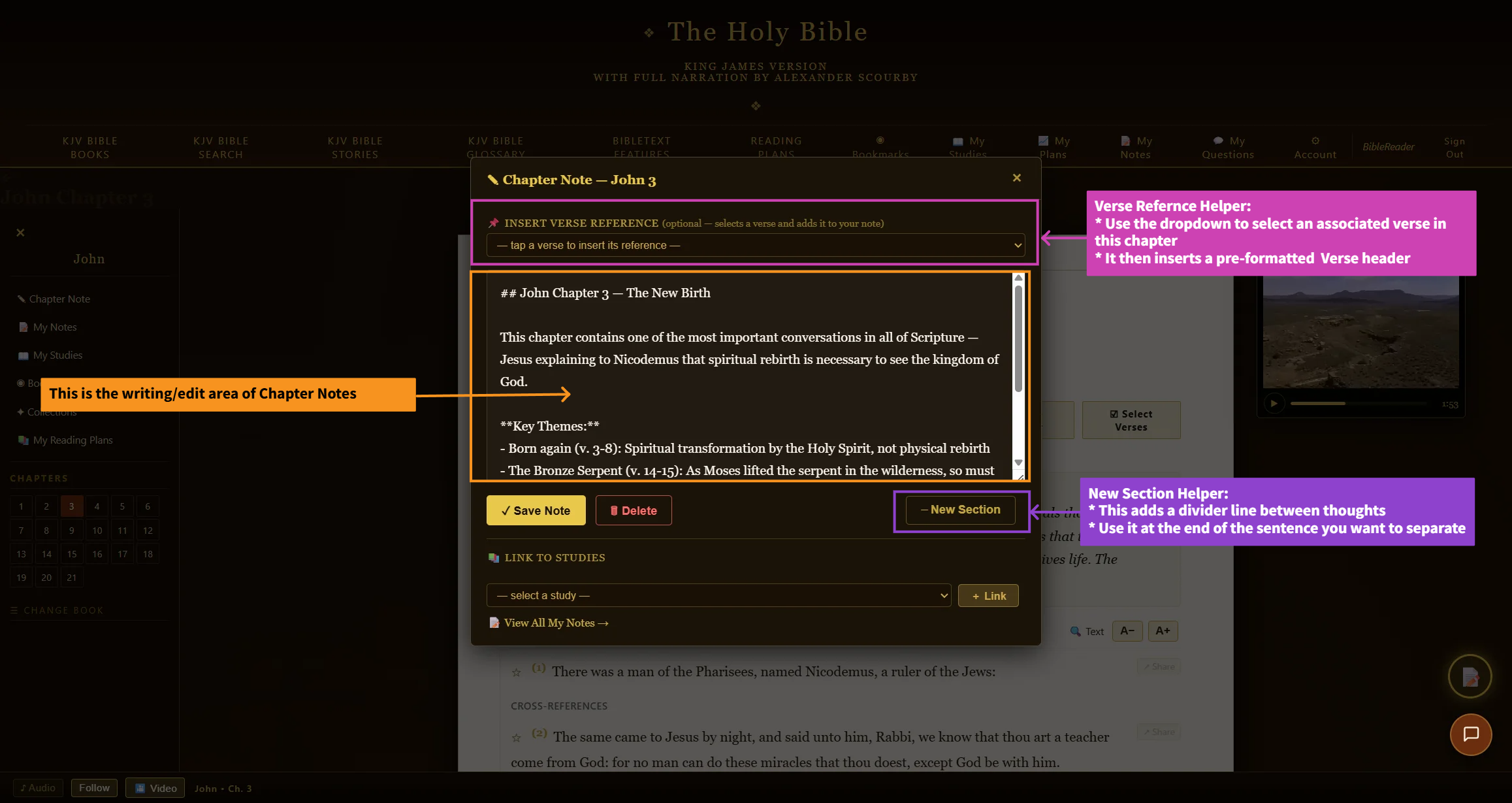
- Type your note — use the verse selector helper to insert a verse reference tag, or the new section button to break up longer notes.
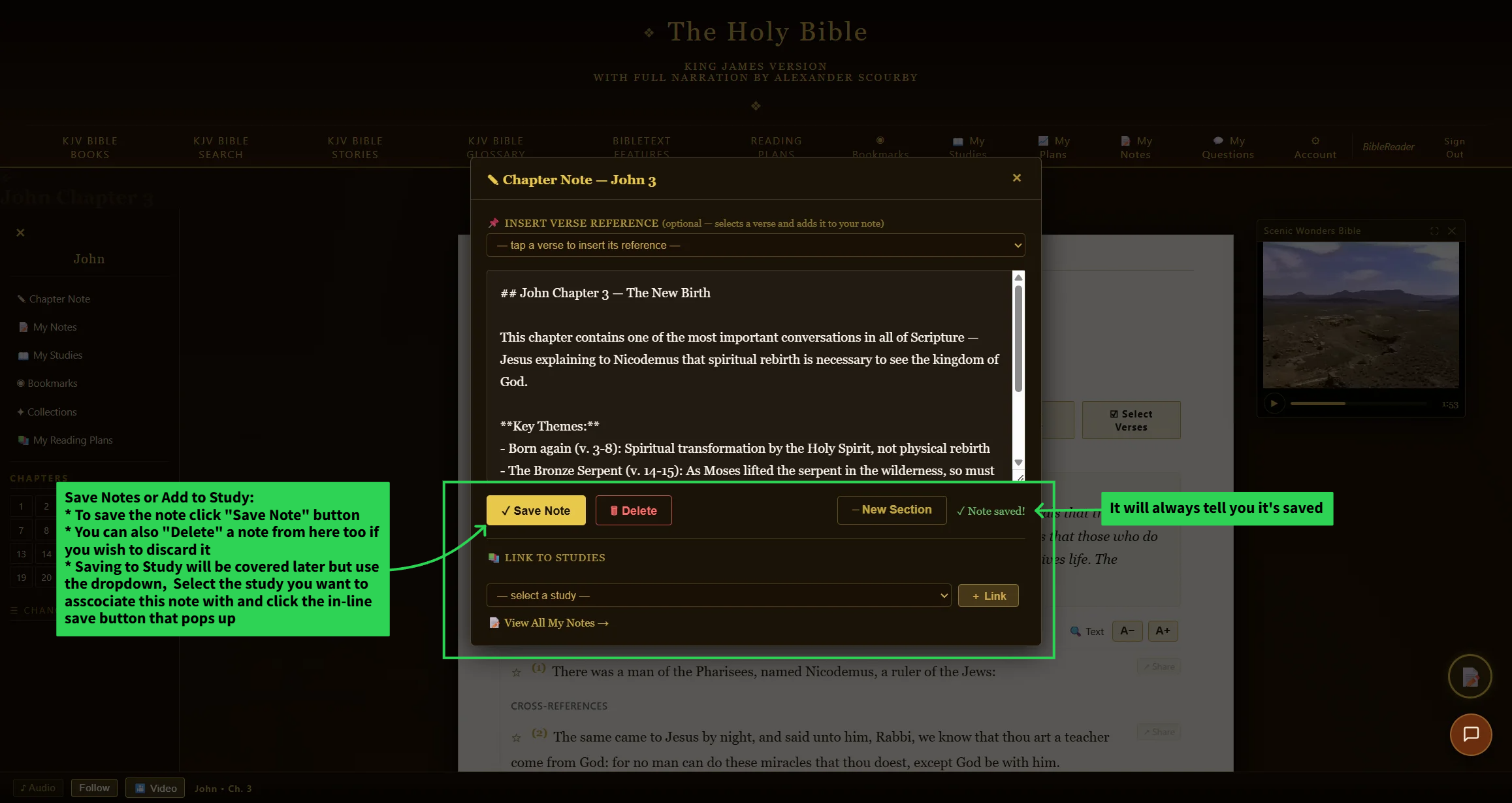
- Click Save — the page updates immediately without a manual reload.
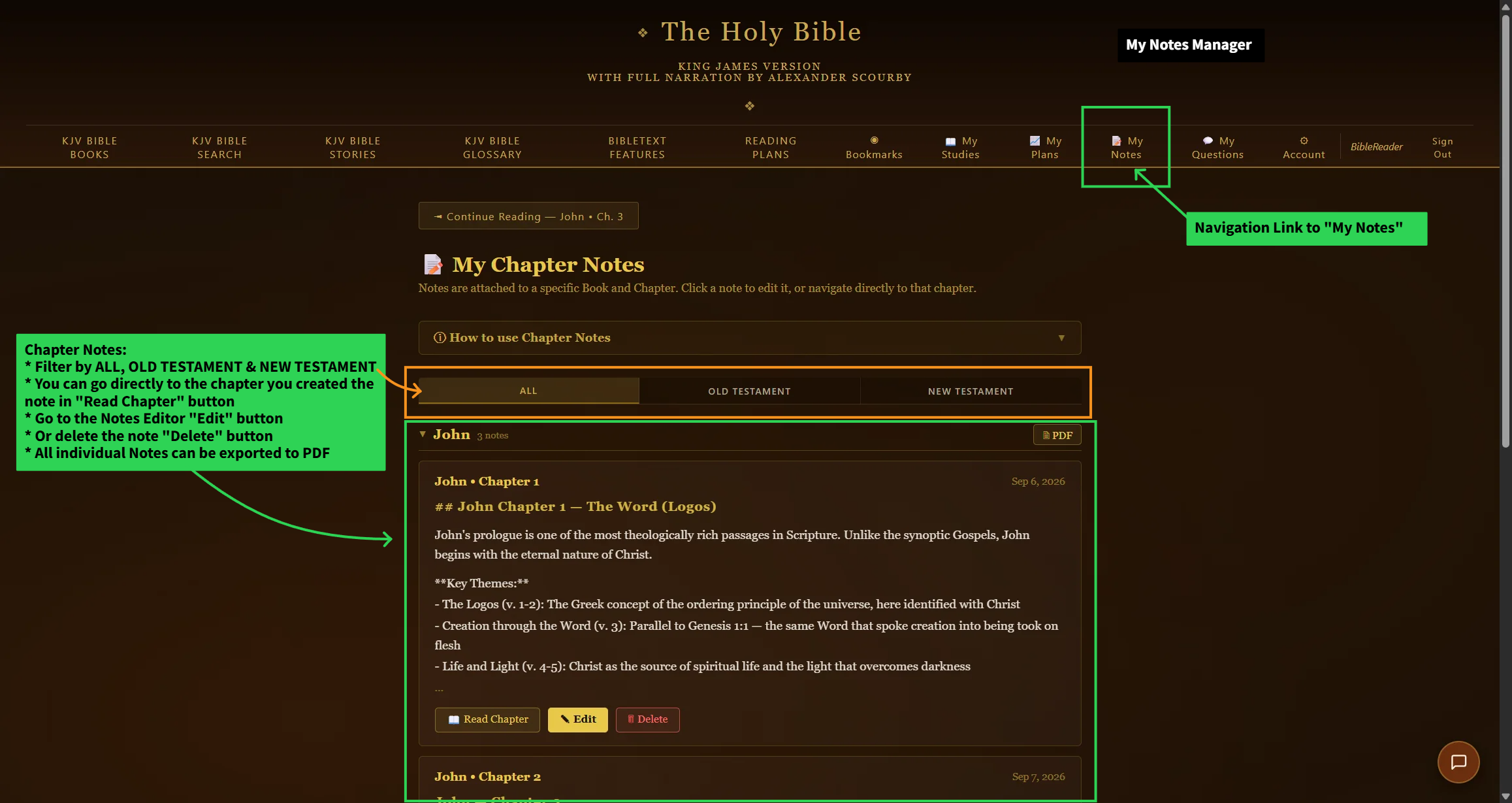
- Manage every note you’ve written, organized by book, on the My Notes page.
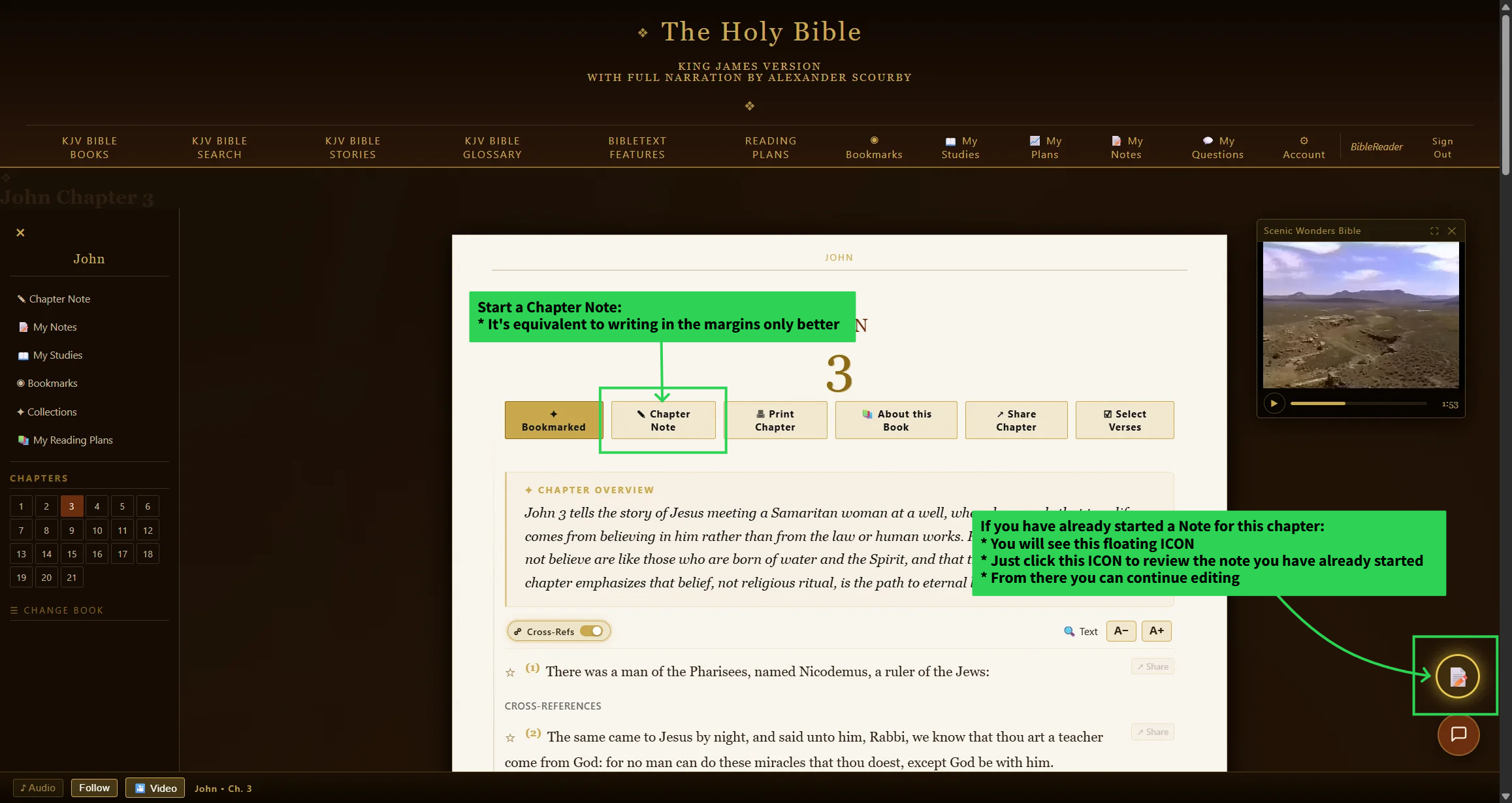
Step 1 — click Chapter Notes on any reading page to open the floating note editor.
Chapter notes export to PDF from the My Notes page, and are also included automatically when a study references that chapter.