Audio & Video Narration
Listen to Alexander Scourby narrate all 66 books, or watch Scenic Wonders Bible video for the New Testament — verses highlight automatically as they play.
No account needed. Free to use right now.
- Open any chapter, then click the Play Audio button above the verses.
- For New Testament books, switch to the Video tab to watch the Scenic Wonders Bible narration instead.
- Toggle Follow Highlight to have the current verse highlight in sync with the narration.
- Use the mini player controls to pause, skip, or jump chapters — playback resumes where you left off.
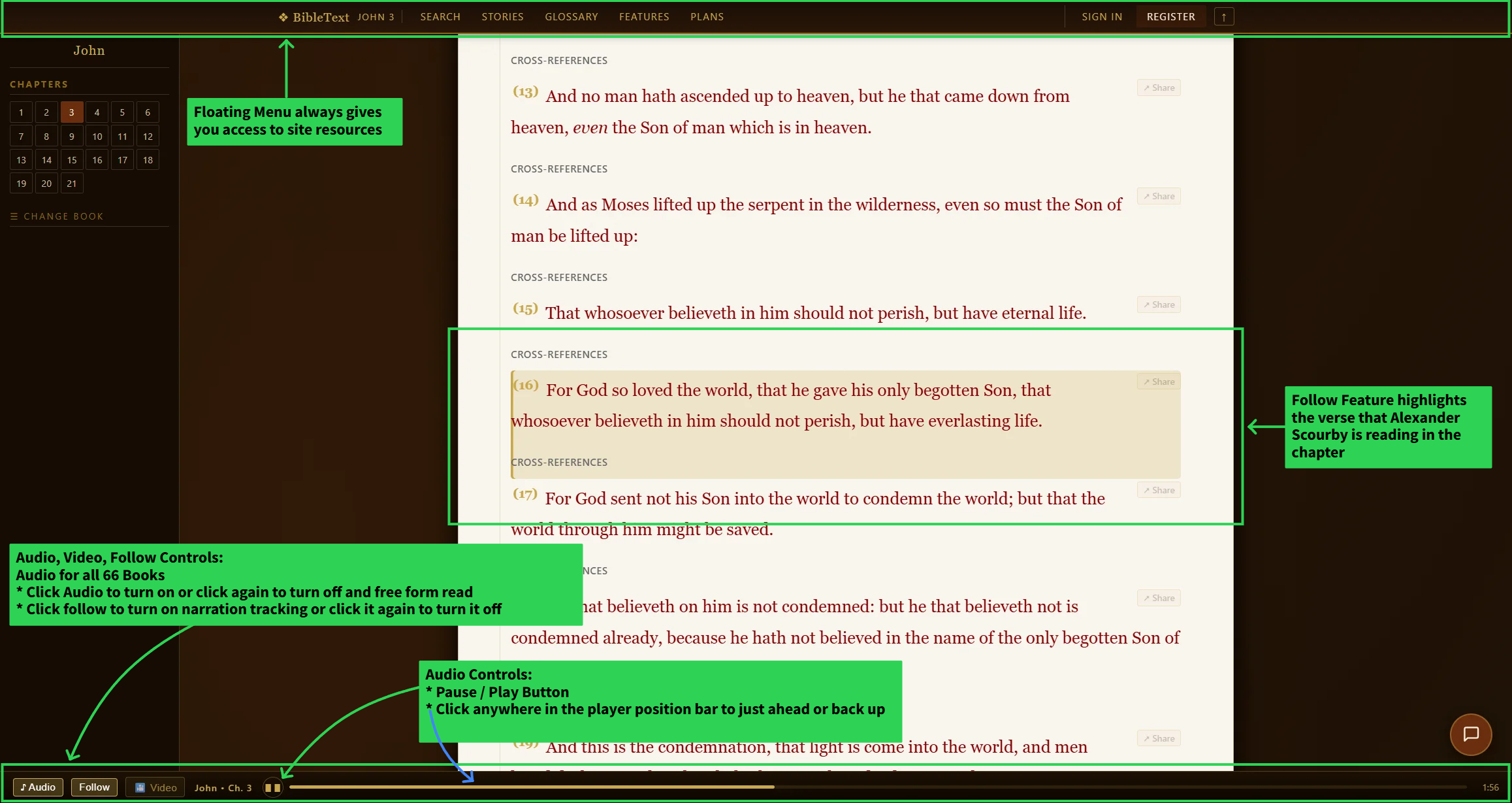
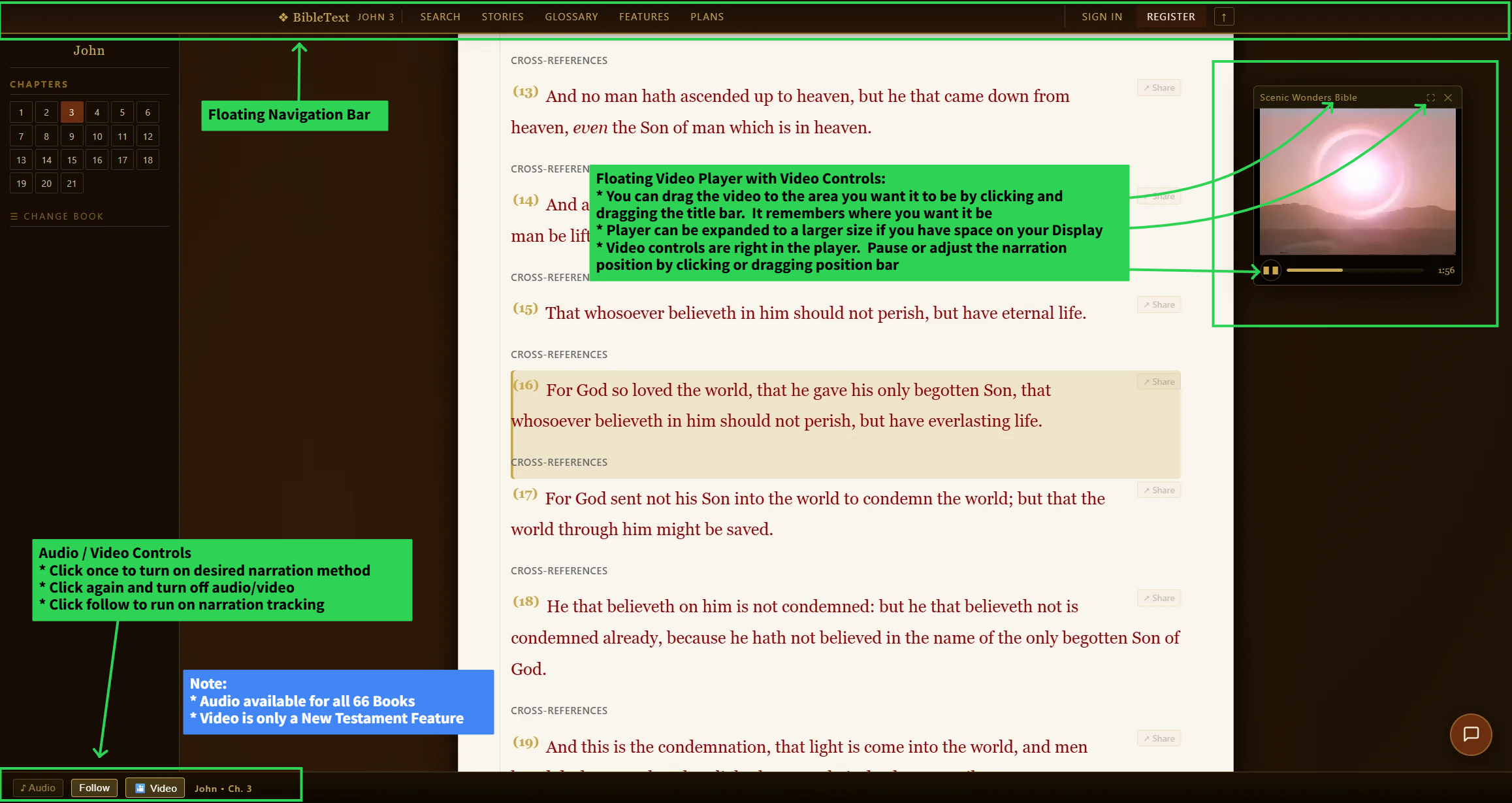
The audio player open above a chapter, narrated by Alexander Scourby, with a verse highlighted mid-playback.
Video narration currently covers Matthew through Revelation only; audio narration covers every book, Genesis through Revelation.